Hi, how can we help?
[New to Shopee] How do I buy a product on Shopee?
Para sa Taglish version ng article, basahin dito.
You can buy a product easily via Shopee’s website or the Shopee App. Before you do so, ensure you have signed up for a Shopee account and added a local delivery address. After searching for a product and deciding on what to buy, follow the steps below:
1. Buy and checkout immediately
Select Buy Now > Select preferred variation option (if applicable) > Buy Now > check the options and details of your order > Place Order.
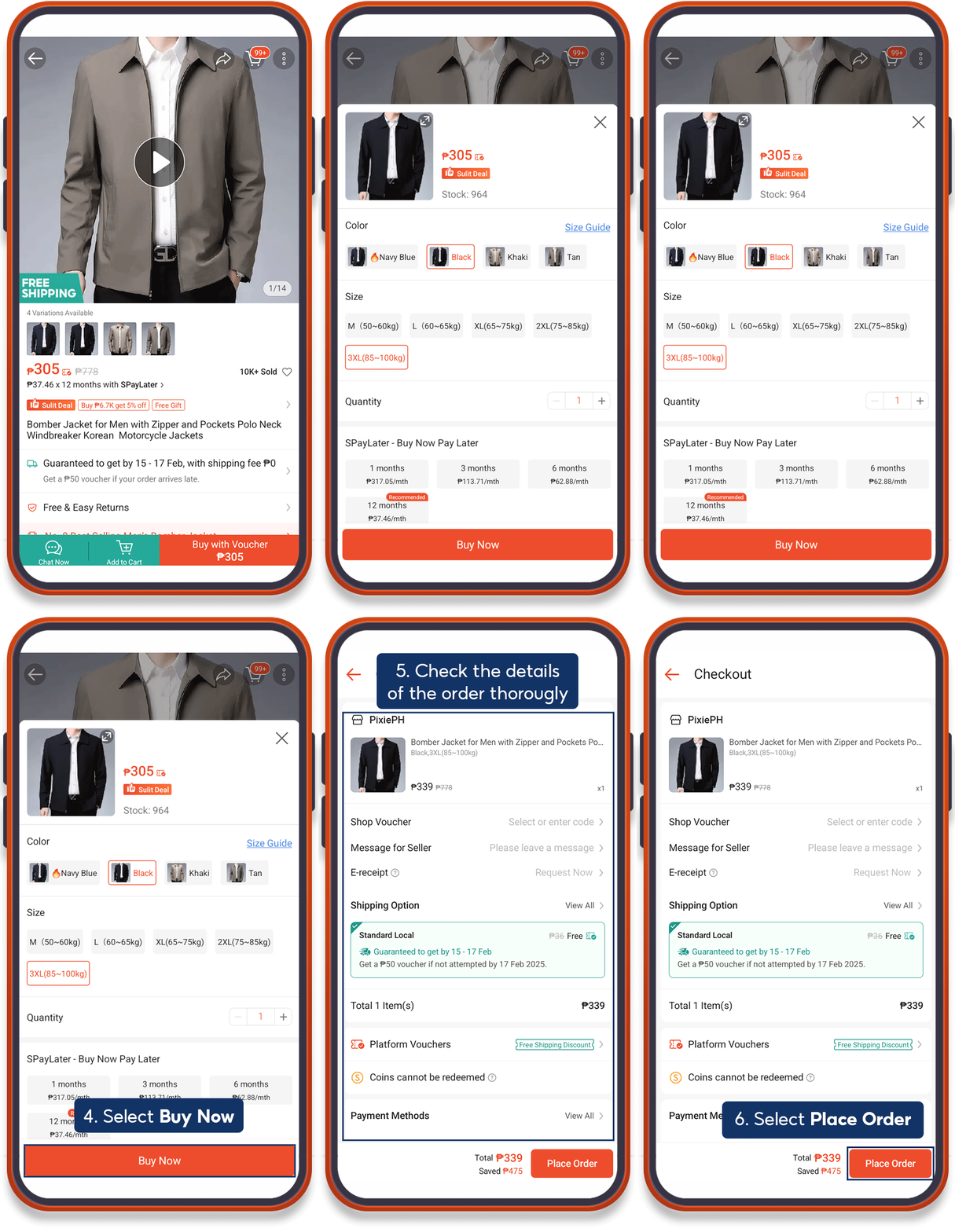
⚠️ Note At Checkout page, make sure to always check the following details and select your preference (if applicable); |
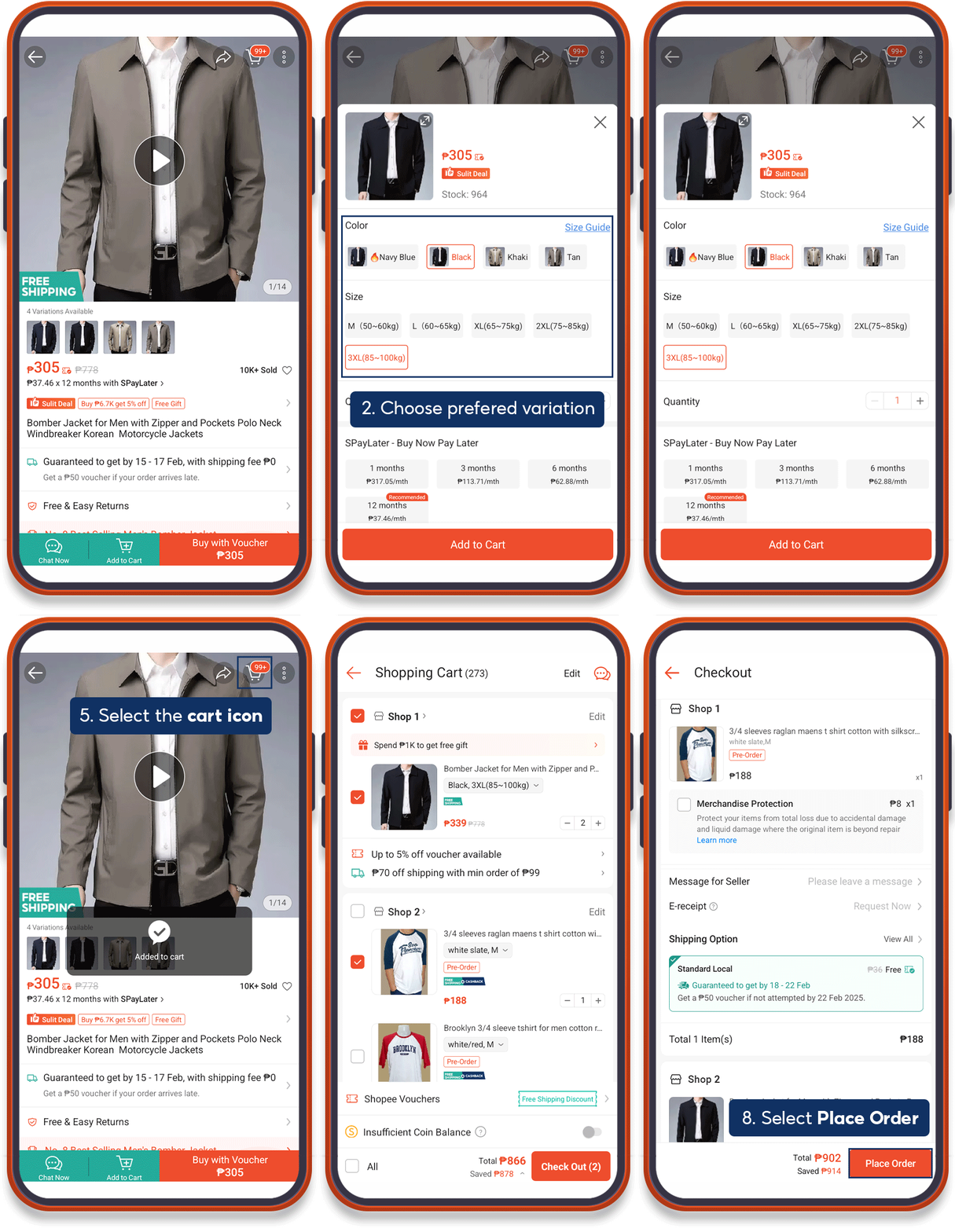
2. Add to cart and checkout with other items
On the product page, select Add to Cart > Select preferred variation option (if applicable) > Add to Cart > Select products to purchase > Use Shopee Voucher and Shopee Coins > Check Out > check the options and details of your order > Place Order.
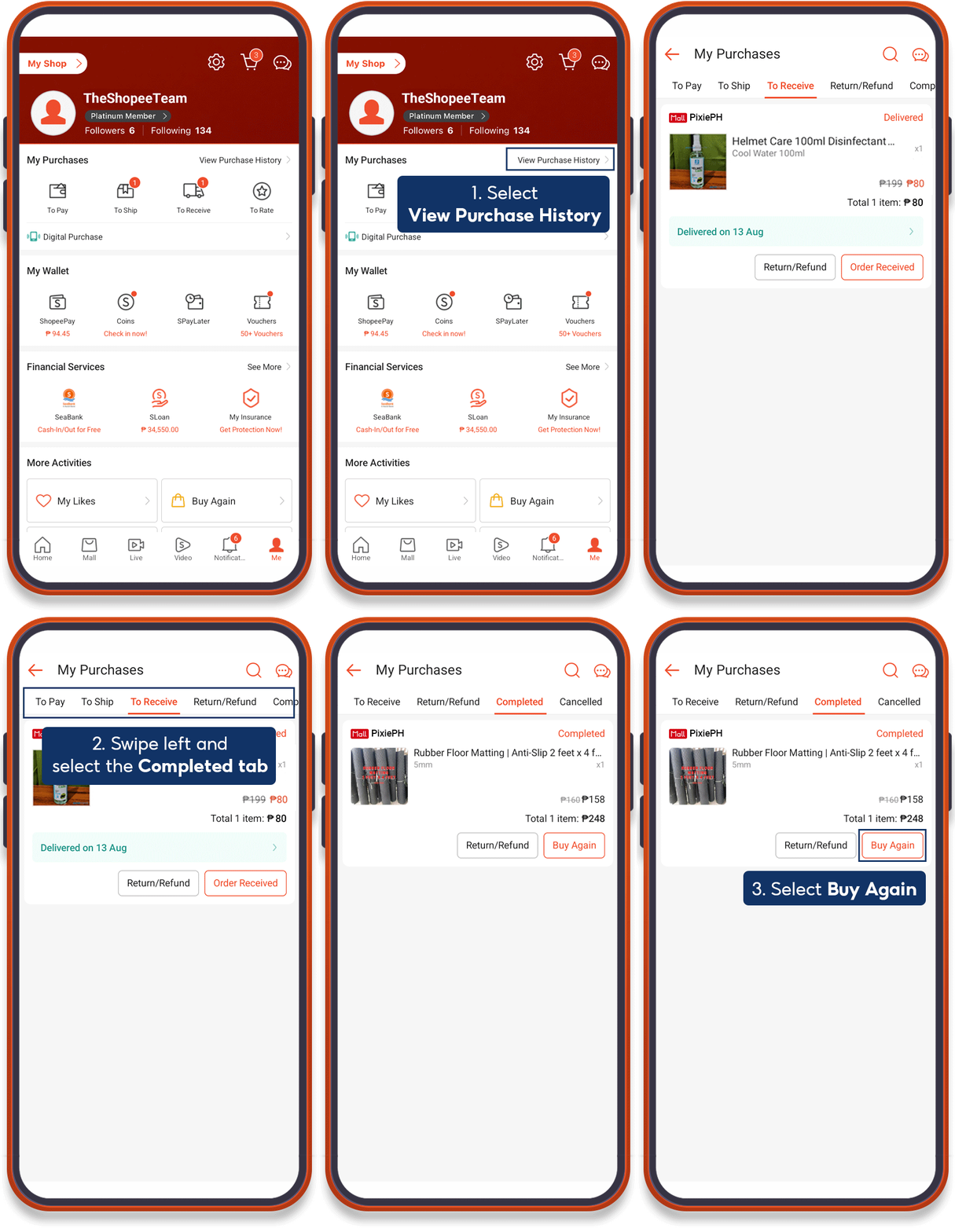
3. Repurchasing previous orders
Select My Purchases on the Me tab > select the product from the Completed section to repurchase > Buy Again and proceed to checkout.